
Configuring Vendor Shipping Options
General Configuration
This module requires an initial configuration by the Marketplace Owner. The first step of the configuration is located at Stores > Configuration > Sales > Delivery Methods > Vendor Shipping Method.
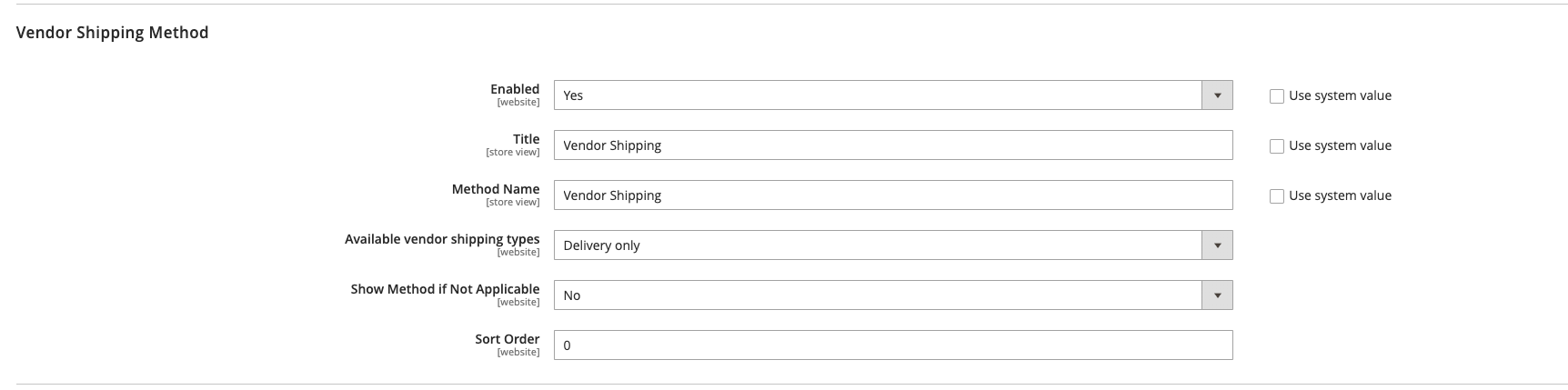
| Field | Notes | Scope |
|---|---|---|
| Website | When enabled, Vendor Shipping appears as an option for the vendors to create their options and it can be used as a Delivery method. Select either Yes / No. | Website |
| Title | The name that is used on checkout for this shipping method when order is placed by customer. | Store View |
| Method Name | The name that is used internally for this shipping method when order is placed by customer (it can be the same as Title) | Store View |
| Available vendor shipping types | Which delivery options the vendors will be able to create as their vendor shipping for customers. NOTE: Currently, only Delivery is available Options: Delivery and Click & Collect / Delivery Only / Click & Collect only | Website |
| Show Method if not applicable | Determines if the Vendor Shipping Options appear as an option during checkout if the method does not apply to the purchase. Options: Yes / No | Website |
| Sort Order | A number that determines the order that the Vendor Shipping Options appear when listed with other delivery methods during checkout. Please type 0 to offer as the first option, as per screenshot above. | Website |
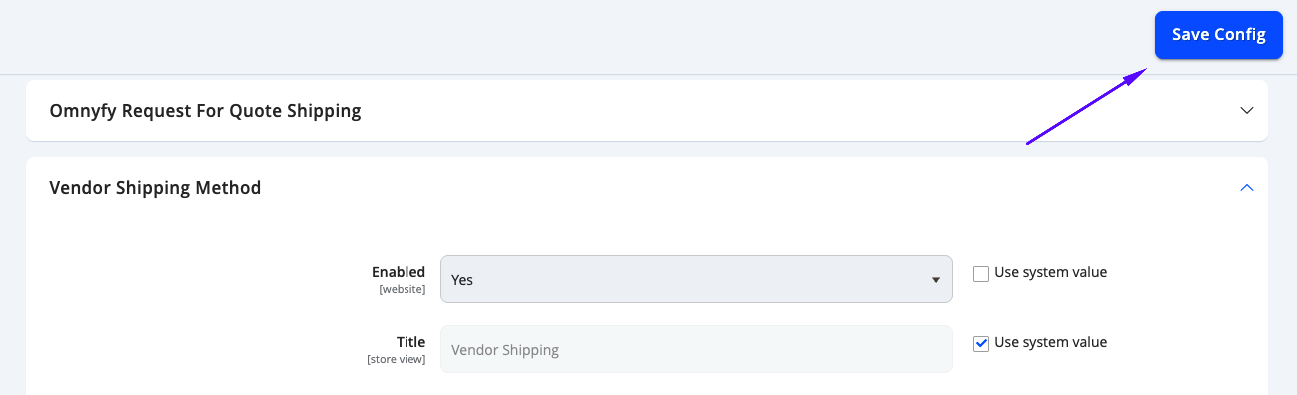
The remaining options can remain as default as they are not used. Select Save Config from the top right when configured.
Updated 10 months ago
Did this page help you?