
Adding a Free Shipping Message (non-Glyde implementations)
You can choose to have a special message when using the Vendor Shipping Options to notify customers of Free Shipping threshold in the Shopping Cart page.
NOTE:
This message appears in the Shopping Cart page of non-Glyde implementations only. Glyde projects have their own inbuilt message.
Configuration
As a Marketplace Owner in the Admin Portal, navigate to Stores > Configuration > Omnyfy > Vendor Free Shipping Message.
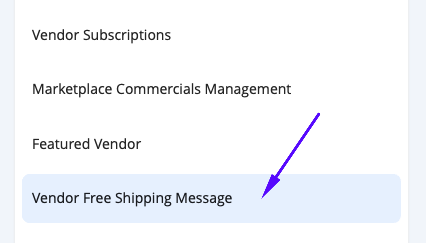
The page will load with the following options:
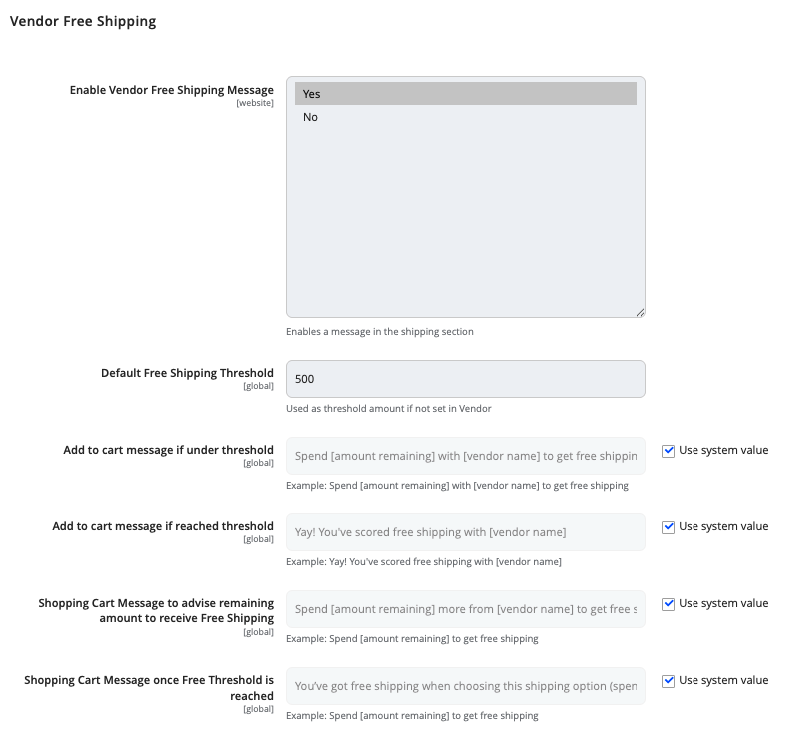
| Field | Notes | Scope |
|---|---|---|
| Enable Vendor Free Shipping Message | Set whether to enable a message to appear notifying customers of the Free Shipping Threshold (for Non-Glyde implementations) | Website |
| Default Free Shipping Threshold | Default dollar value for Free Shipping to apply | Global |
| Add to cart message if under threshold | Message when product is added to the cart and the cart value is still below the Free Shipping Threshold. | Global |
| Add to cart message if reached threshold | Message when product is added to the cart and the cart value meets the Free Shipping Threshold. | Global |
| Shopping Cart Message to advise remaining amount to receive Free Shipping | Message in the Shopping Cart that displays if the Free Shipping dollar value threshold is not yet met, to notify customers on the remaining amount required to reach Free Shipping. | Global |
| Shopping Cart Message once Free Threshold is reached | Message in the Shopping Cart that displays when the cart value for the vendor reaches the Free Shipping dollar value threshold is met. | Global |
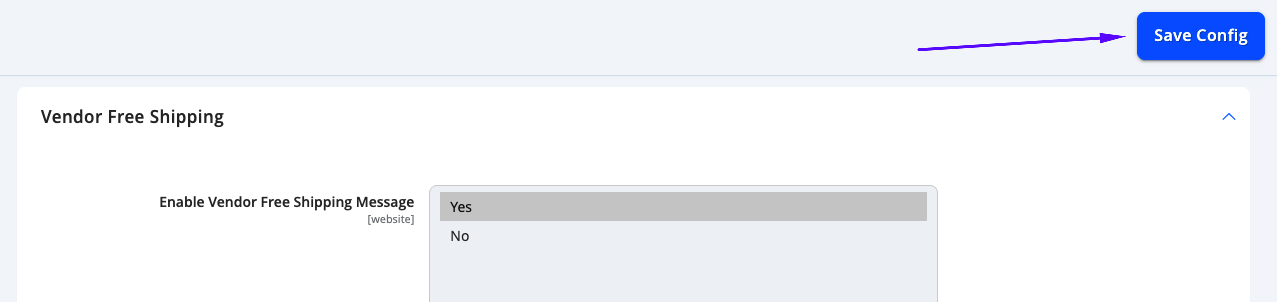
Once the configuration is set, select Save Config from the top right of the page to save your settings.
Updated 10 months ago
Did this page help you?