
3. Set Up - Linking a Vendor Source to an Easyship Account
Once you have completed setting up your Easyship account on the Marketplace, you will need to link it to a Marketplace Source.
If you already have a source created and an Easyship account from the same country, you simply need to update a few fields.
Linking a Source to an Easyship Account
During the Source set up or edit process (under Stores > Inventory > Sources), the following fields will need to be populated.
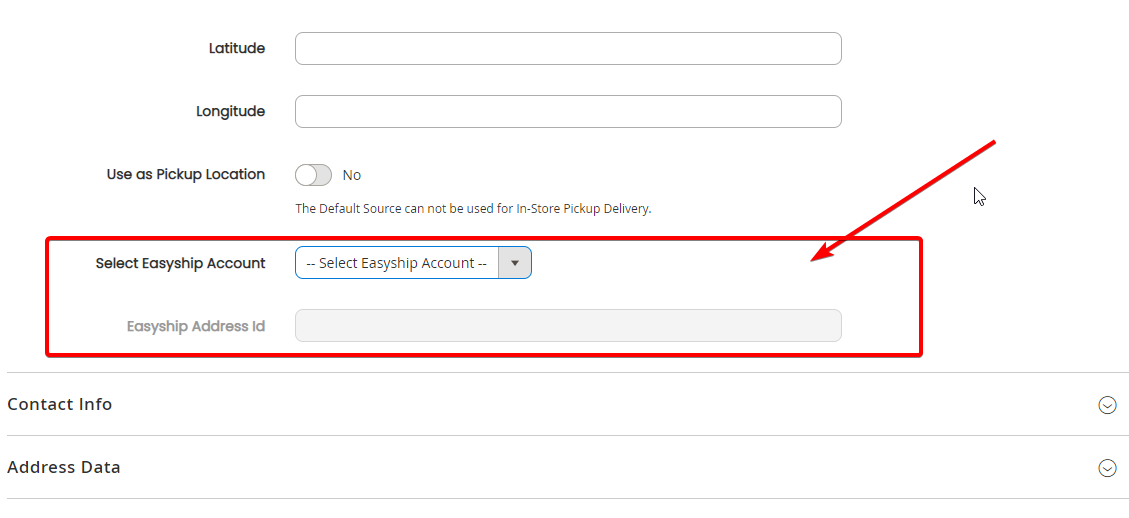
Here you will select the Easyship Account to connect to. You will need to have an Easyship account created for it to appear here - or you can use the Marketplace Owner's account.
NOTE FOR MARKETPLACE OWNERS:
The only accounts that will appear here are the ones that you create for this specific country, OR vendor created Easyship accounts.
Next, ensure the following fields are populated correctly:
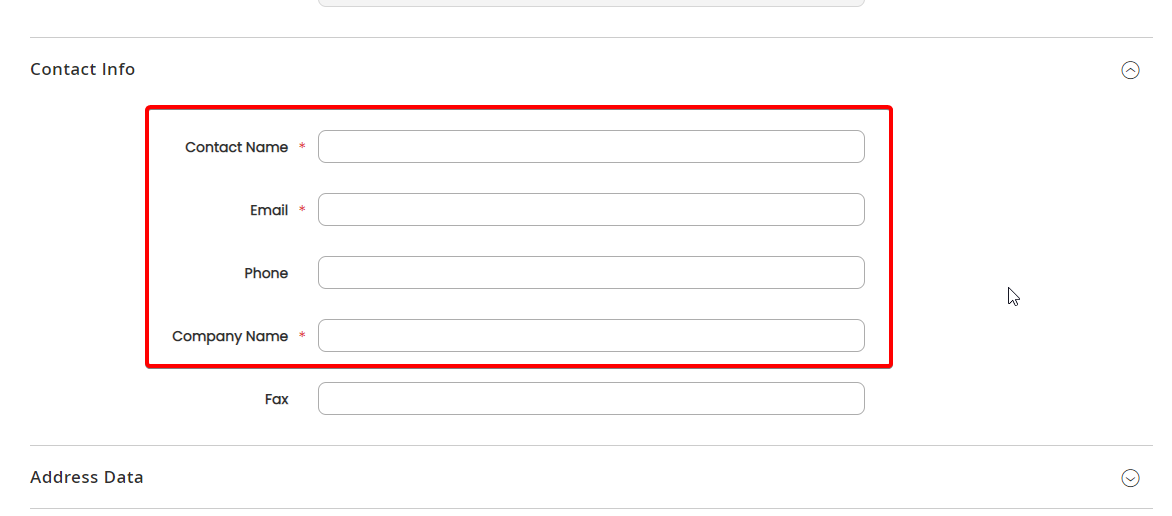
- Contact Name: This will be the name of the contact person for this particular source for shipping notifications/enquiries (eg if a courier is coming to pick up an order) (Limit to 15 characters incl spaces)
- Email: For pick up notifications if required
- Phone: This is the phone number that Easyship will use to contact this location regarding pick up of the deliveries
- Company Name: To appear on the label (Limit to 19 characters incl spaces)
NOTE: Couriers integrate with Easyship in their own way, which means they may use either the Easyship Default Sender Address on the label, or it may use the location information entered above. This will depend on each courier.
Once you have completed the rest of the information from the source, simply select Save (or Save & Continue) on the top right.
The system will then tie this source to this specific address using the Easyship Address ID (this is done automatically on save).
Before save
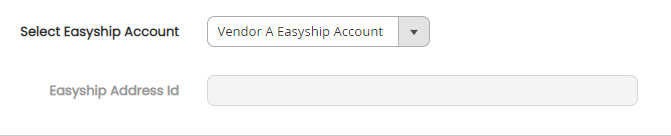
After save
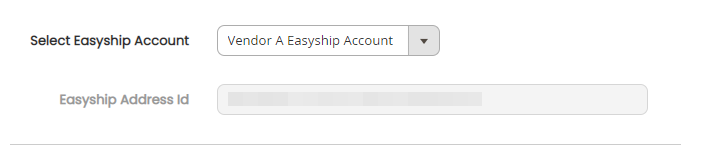
The Easyship Address ID will auto-populate if the details are correctly formatted.
Confirming your Linked source with the Easyship account.
You can see this on the Easyship Account if you are controlling it. Each location information will be added as a new entry to the "Shipping Address".
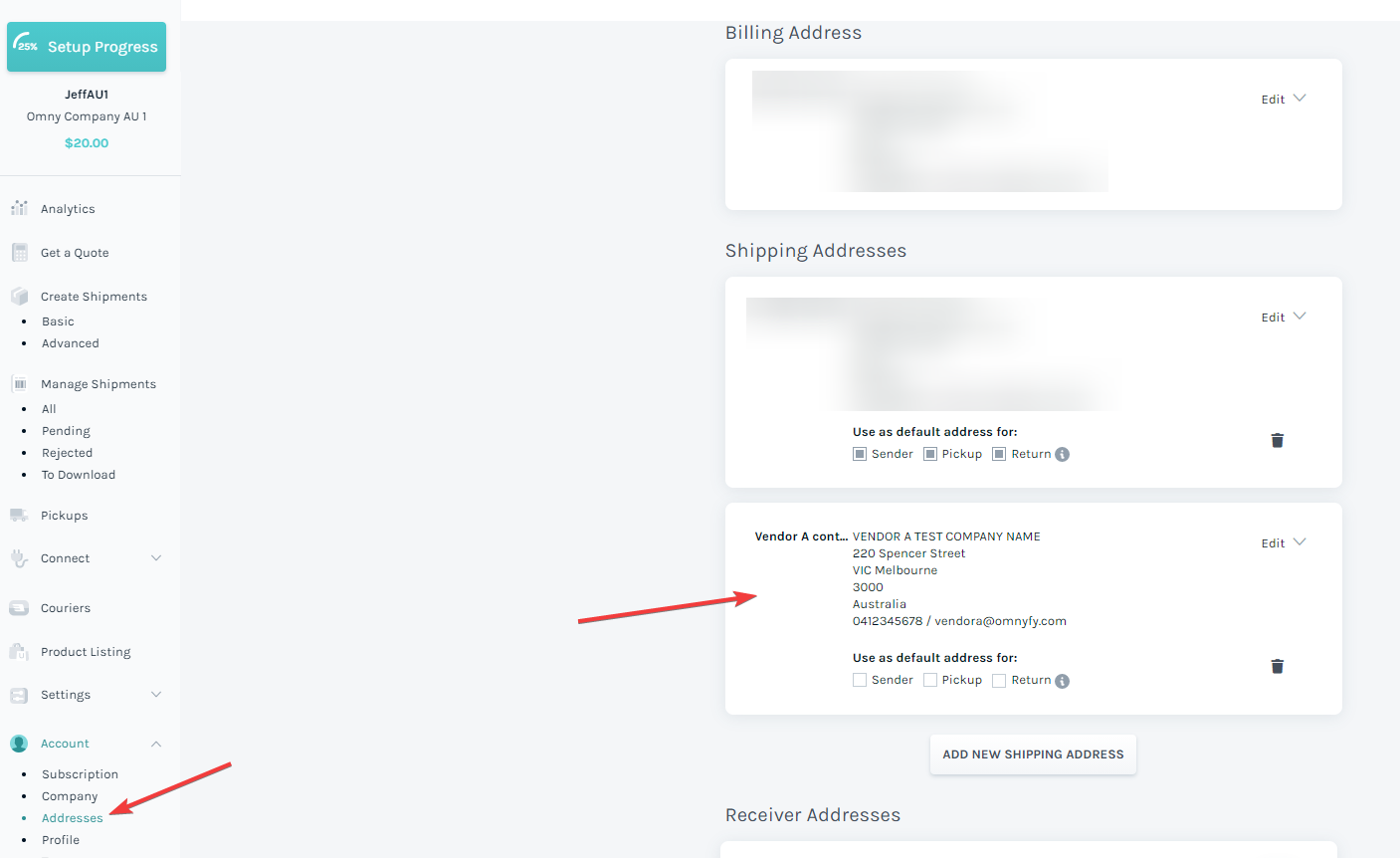
You can update the Source details as you wish and it will update the information here for you too.
NOTE FOR OVERALL CART SHIPPING:
You can also set a single pick up point for the entire order, if you have the website configured to use the "Calculate Shipping By" to "Overall Cart". This means that whateer location that has the Easyship account set to, will be used for the pick up. Find out more here for how this works.
This option does not pay out vendors for any shipping.
Now that your address from the marketplace is set up, it's time to apply the dimensions for your products to get the rates.
Updated 6 months ago