
Glyde Studio - Vendor
This will primarily control various aspects of the Vendor Storefront pages, Vendor Directory and Vendor Sign Up forms. This can be managed in the Admin Portal by Stores > Settings > Configuration > Glyde > Glyde Studio.
NOTEAll fields are configurable on a Website scope only.
Vendor
| Field Name | Notes |
|---|---|
| Vendor Storefront JSON | This is where you will need to input the JSON Configurations as per the specified format for the Vendor Storefront pages. |
| Vendor Directory JSON | This is where you will need to input the JSON Configurations as per the specified format for the Vendor Directory page. |
| Vendor SignUp JSON | This is where you will need to input the JSON Configurations as per the specified format for the Vendor Sign Up Forms. |
NOTEAll JSON fields need to be in the correct format as per below.
VENDOR STOREFRONT
{
"headerType":"full-width",
"hide_buttons_on_banner": true,
"show_vendor_reviews": true,
"display_reviews": true,
"vendors_per_page": 20
}VENDOR DIRECTORY
{
"filter_position": "inline-top",
"tile_display_options": ["grid", "table"],
"show_vendor_reviews": true,
"default_tile_display": "grid",
"show_per_page": {
"default": 12,
"options": [12,24,36]
}
}VENDOR SIGN UP
{
"phone_number_country_code": "au"
}Use a JSON checker to confirm the payload is correct before saving, or it may have issues with the front end if one of the parameters are not as expected.
JSON Configurations (Vendor Storefront)
| Name | Description | Type | Value |
|---|---|---|---|
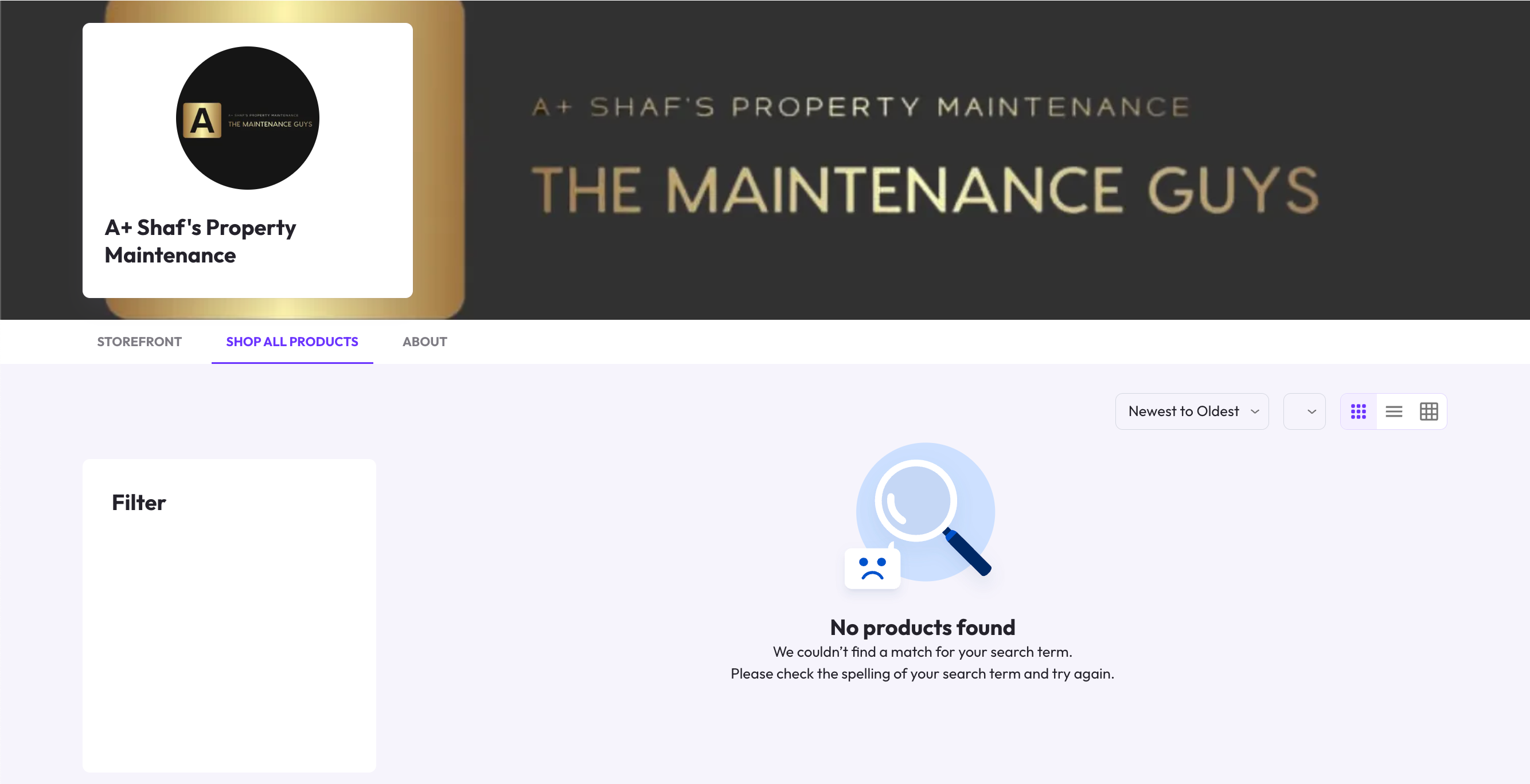
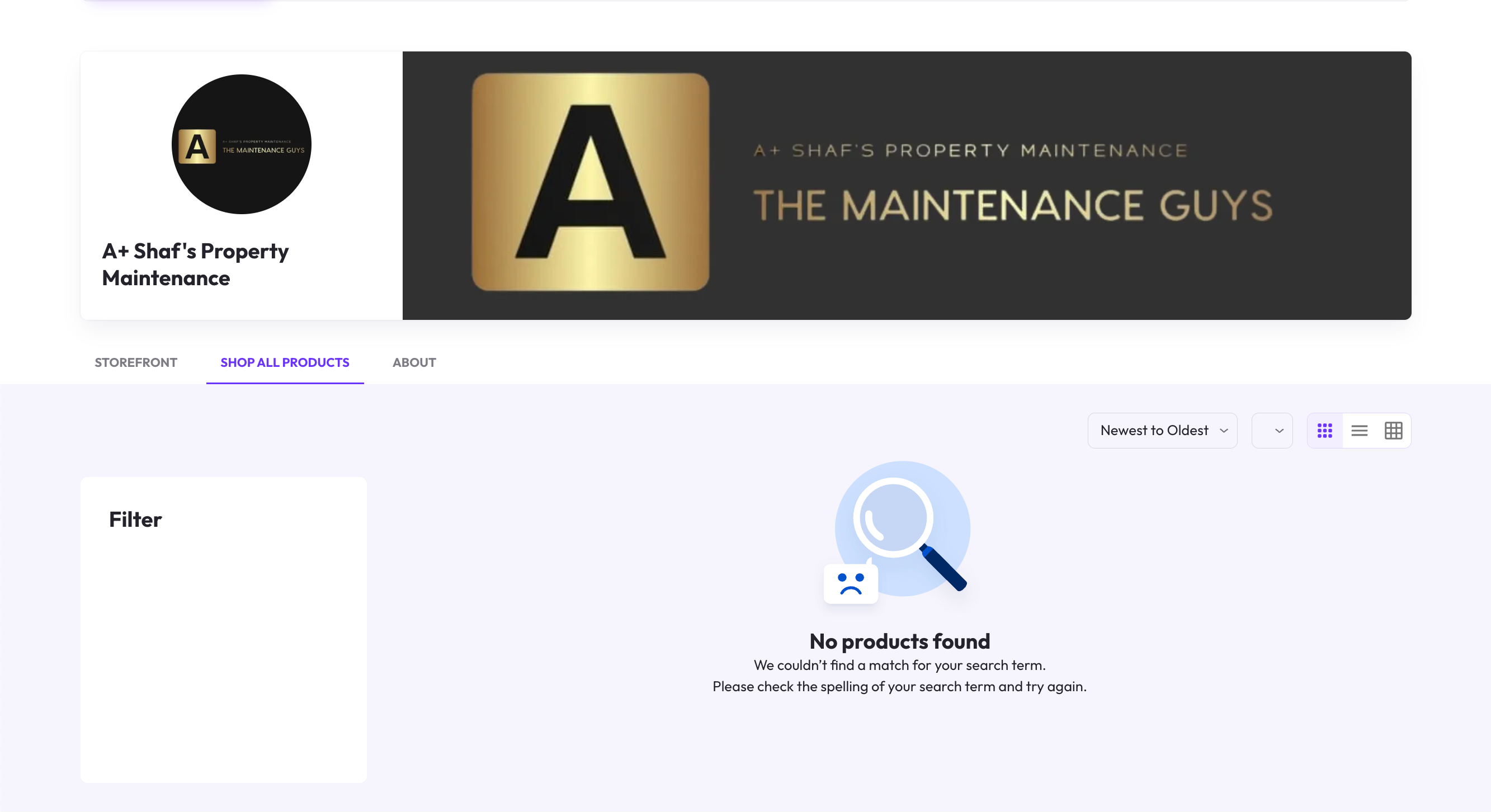
| headerType | Dictates how the header banner area is represented on the Vendor Page. Full Width Contained | String | Use one of the following:
|
| hide_buttons_on_banner | Dictates the visibility of displaying the following buttons on the Vendor's Header.
NOTE | Boolean | true or false |
| show_vendor_reviews | |||
| display_reviews | |||
| vendors_per_page |

JSON Configurations (Vendor Directory)
| Name | Description | Type | Value |
|---|---|---|---|
| filter_position | Dictates the position of the Vendor Attributes filter. | String | Use one of the following:
|
| default_tile_display | Dictates the default Vendor Tile display on the Vendor Directory page. | String | Use one of the following:
|
| tile_display_options | Dictates the available options for customers to view the Vendor Tiles from the Vendor Directory page. | Array (String) | Use one of the following: ["grid", "table"] Remove any options you do not wish to use. |
| show_vendor_reviews | Dictates the display of Vendor Rating on the Vendor Directory. | Boolean | true or false |
| show_per_page (default) | Dictates the default amount of Vendor Tiles to show customers per page. | Numbers | Example value: 12 or 48 |
| show_per_page (options) | Dictates the available options for customers to show the amount of Vendors per page. | Array (Numbers) | Use the following format: [12,24,36] |
JSON Configurations (Vendor Sign Up)
| Name | Description | Type | Value |
|---|---|---|---|
| phone_number_country_code | Dictates the default Country Code for Phone Numbers of Vendors signing up on the Marketplace. | String | Example Values: AU or NZ Use one of the countries in ISO A-2 format. |
If any changes were made, you can then select Save Config from the top right.

Updated over 1 year ago