
Vendor Admin Role Permissions/Access
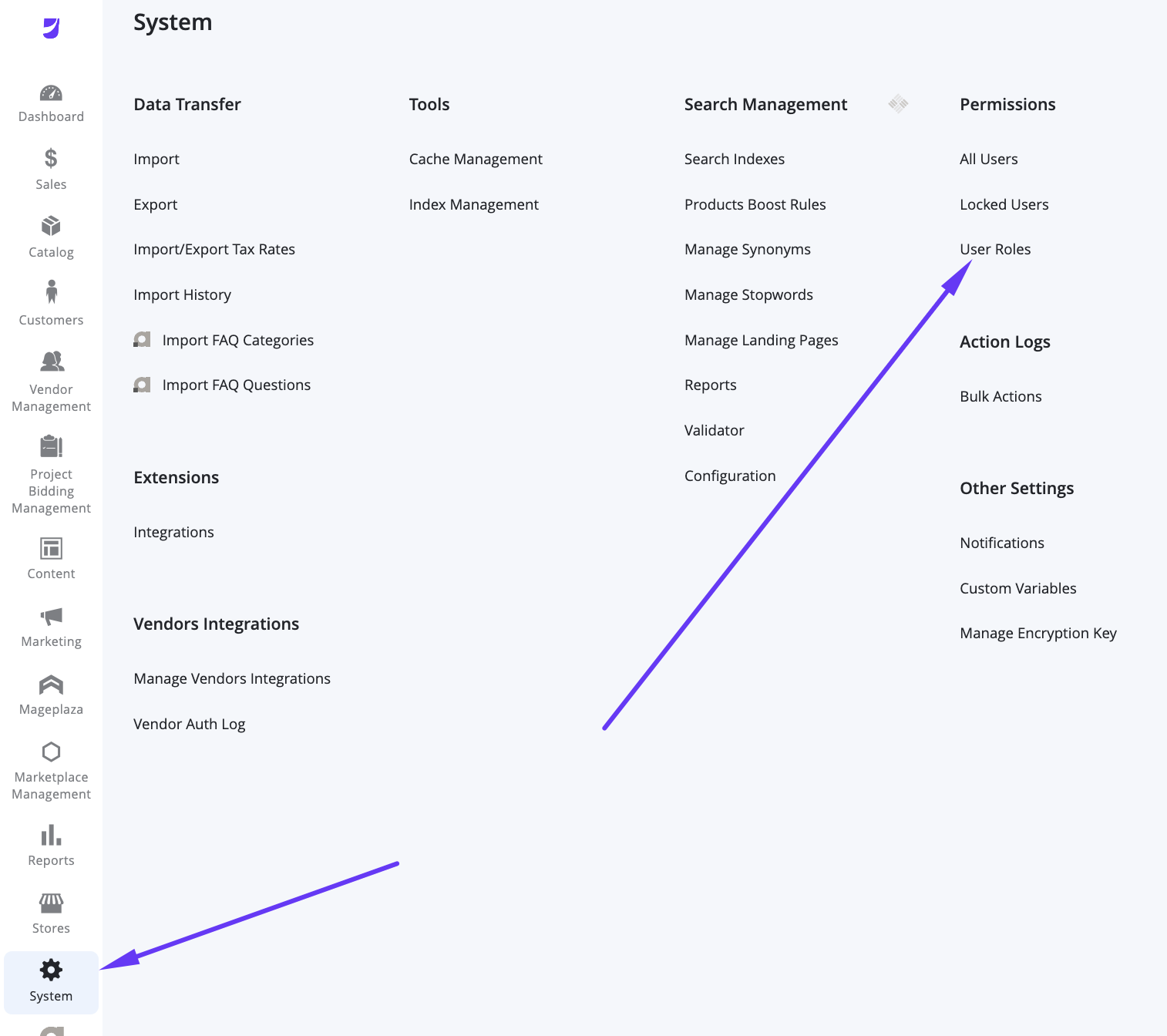
Accessing Vendor Admin Role Permissions
The Vendor Admin user role is designed to provide vendors with all the tools necessary to manage their products, fulfill orders, and track their business performance, while strictly isolating their data from other vendors on the platform.
Marketplace Owner view of the Vendor Profile grid:
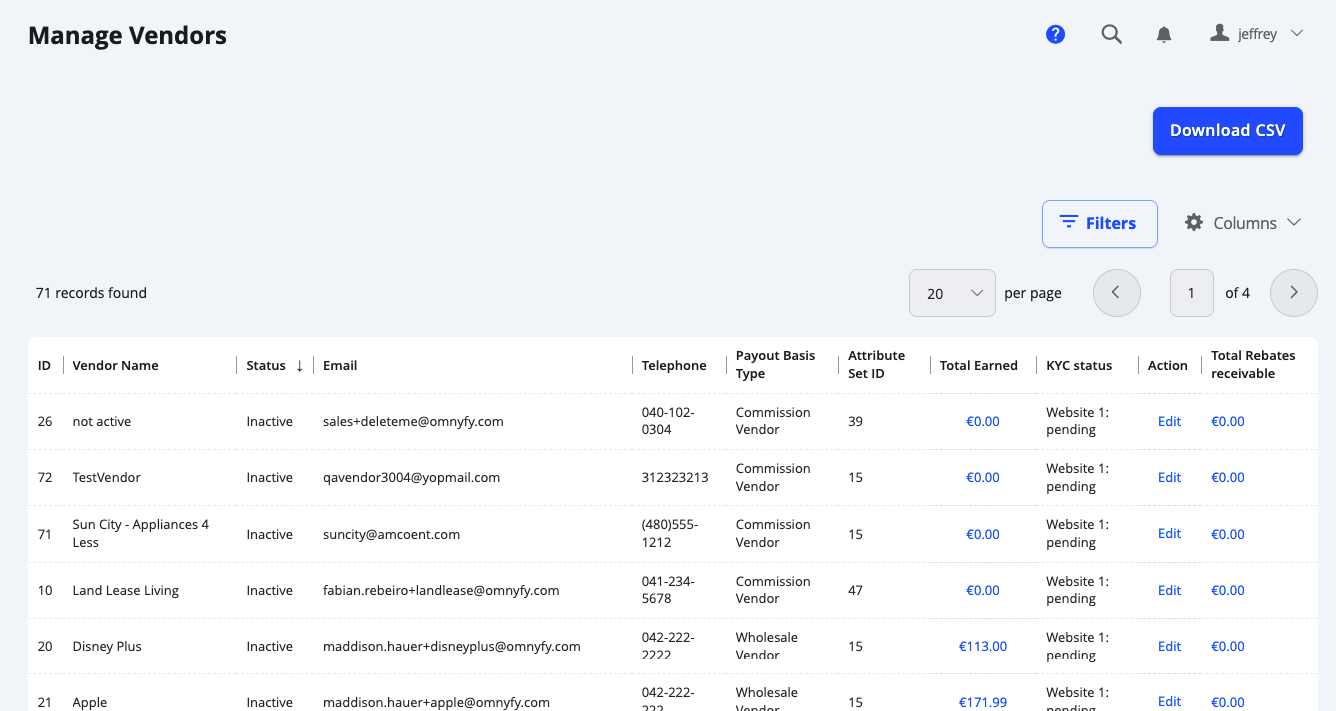
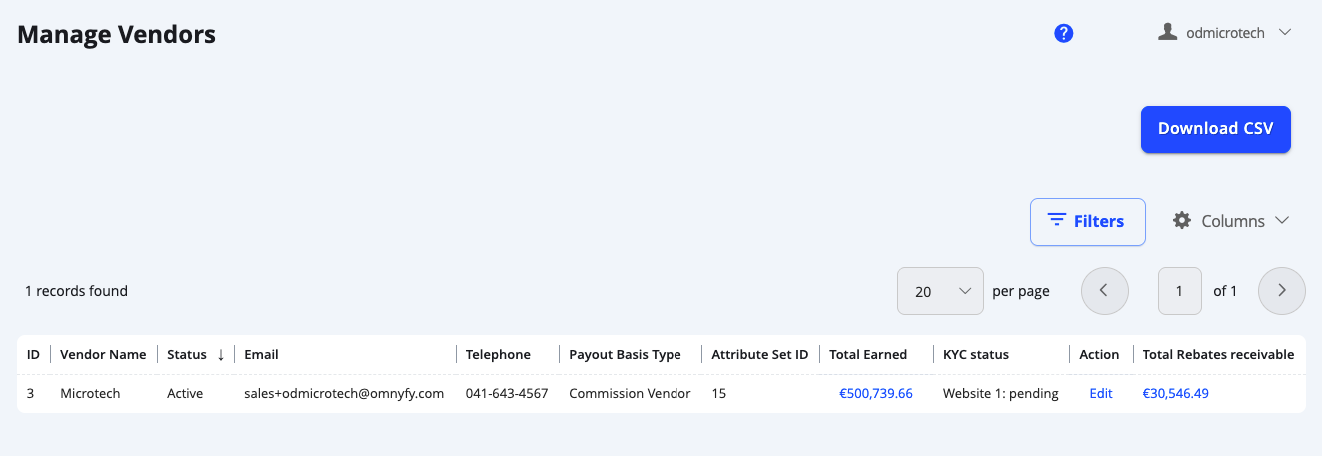
Vendor Admin view of the Vendor Profile grid:
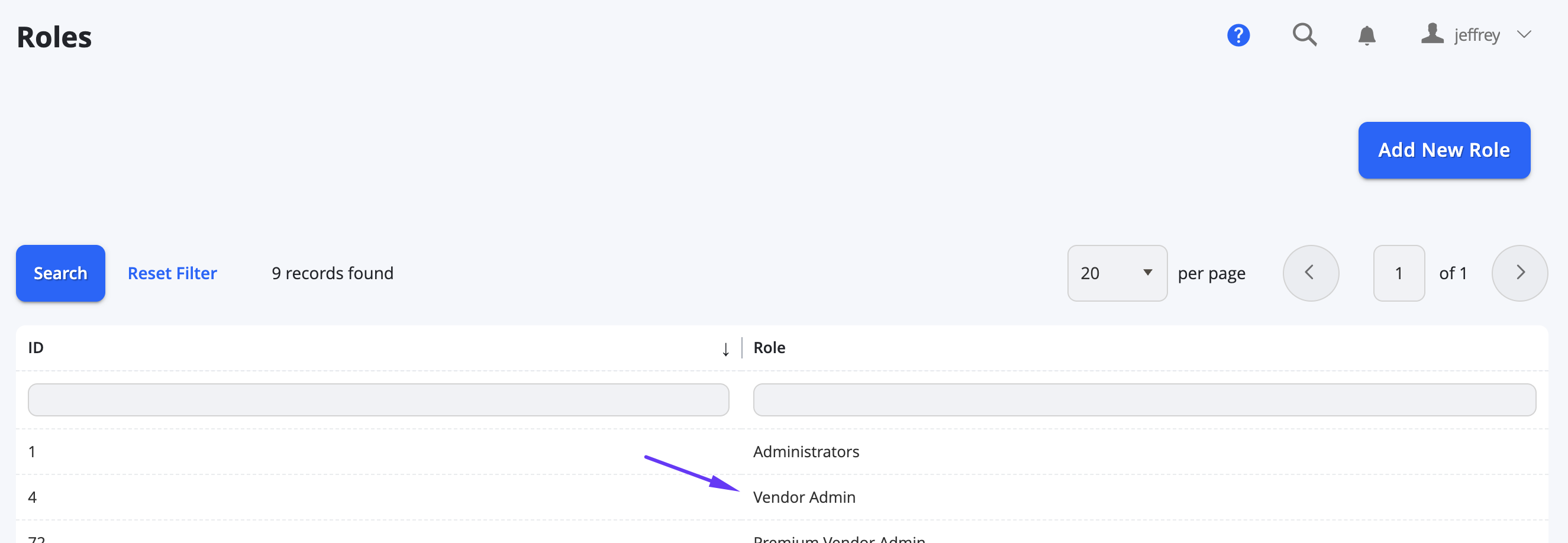
The Vendor Admin User role is created by default upon creation of the marketplace instance, however the role can be modified further.
This can be altered in System > Permissions > User Roles > Vendor Admin > Role Resources.
NOTE:
It is important to note that right now, you must keep Vendor Admin as the Role name - do not change this.
Here you may select / edit resources that you want all Vendors to have access to.
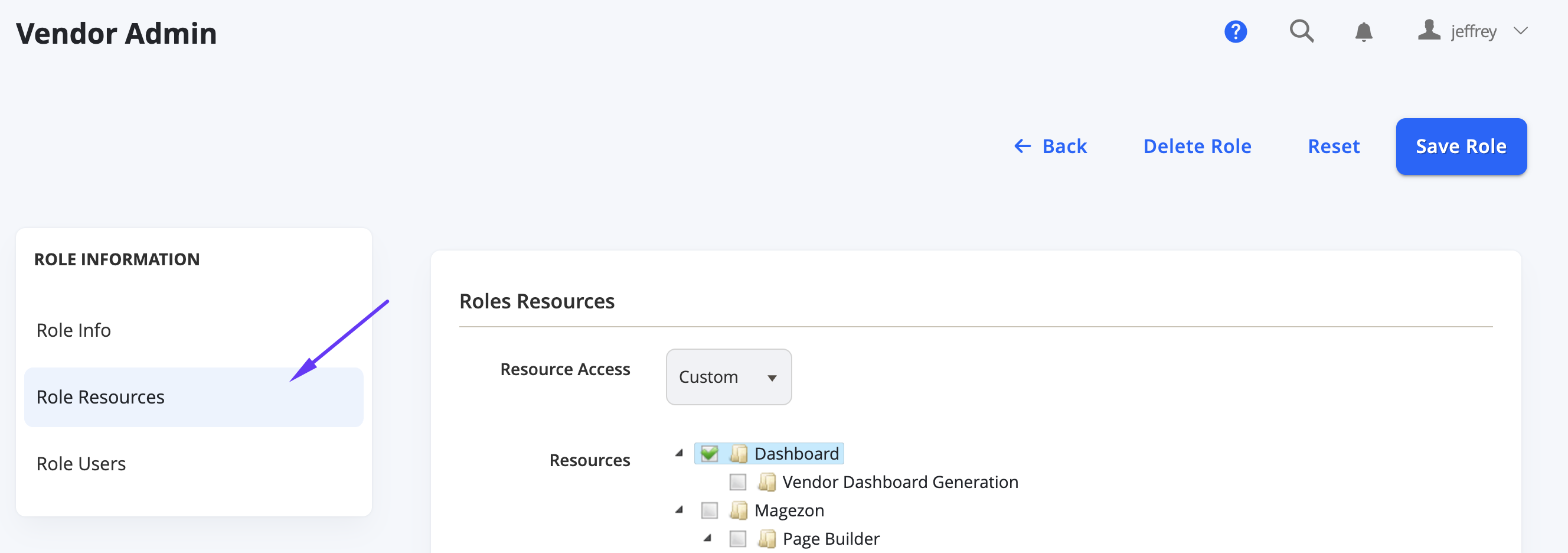
Resource Access must be kept as Custom in order to have flexibility of what to select.
Core Capabilities
Though you can configure this manually, usually a Vendor will have control over their own store:
- Product & Catalog Management: Vendors are responsible for maintaining their own product listings.
- Create & Edit Products: Add new items, set pricing, and upload high-quality images.
- Inventory Management: Update stock levels in real-time to prevent overselling.
- Category Assignment: Map products to the pre-defined marketplace category structure.
- Special Pricing: Set up promotional pricing or tier pricing for bulk purchases.
- Order Fulfillment: Vendors manage the lifecycle of an order from the moment a customer purchases their product.
- Order Processing: View new orders and customer shipping details.
- Shipment Creation: Generate shipments and input tracking numbers.
- Returns & Refunds: Review, approve, or reject refund requests where applicable.
- Staff Management (Sub-vendors): Vendor Admins can delegate tasks to their team members without sharing their primary login.
- User Creation: Add staff members and assign them to vendor specific sub-roles.
- Financial Tracking Payout History: View a detailed log of all payments received from the marketplace.
- Invoices: Download payout invoices for accounting and tax purposes.
- Sales Reports: Access performance data specific to your store's sales volume and trends through the Vendor Dashboard.
Updated 5 months ago