
7. Fulfilment Process - Notifying your customer of their Easyship shipment by e-mail
Ensure you have covered everything in scheduling your delivery with the courier before continuing.
At the point that the courier has picked up the parcel for delivery, the last remaining step is to notify the customer to finalise the order.
- Log in to Marketplace Admin Portal.
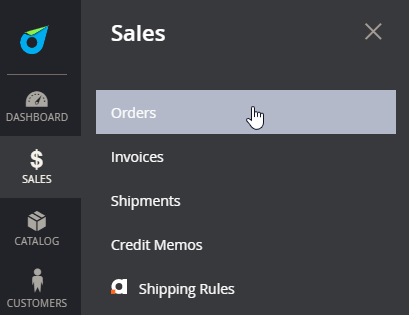
- Navigate to the shipment from Sales > Orders and view the order that was just sent.
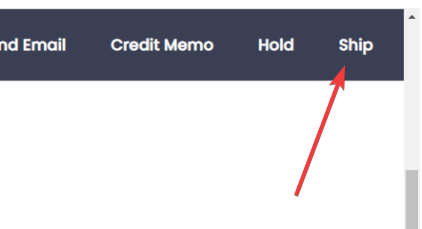
- Select Ship from the upper right corner of the menu
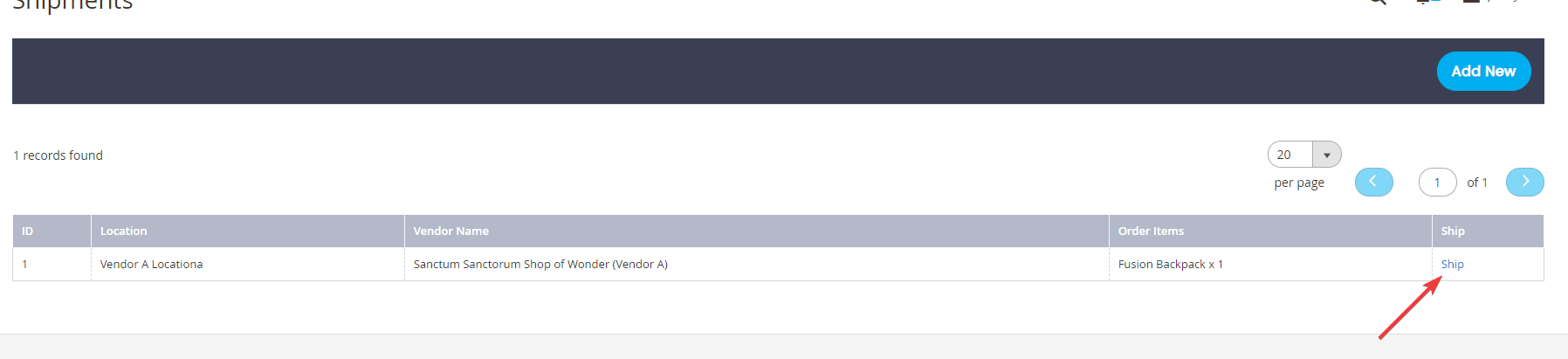
- Once the page loads, click on the link Ship from the right column to take you back into the shipment view for that location.
- Scroll down to the bottom, and tick the Email copy of Shipment in the Shipment Options. Then simply select Submit Shipment.

The customer should then receive an email notifying them of the shipment on the way. The email will also contain a tracking link so that customers can track the shipment.

If there are other shipments for this order (eg multi-vendor or multi-location), then the order status will remain Processing. If there are no more shipments for the order, then the order status will be closed once the last shipment is sent.
Updated 6 months ago
Did this page help you?