
Configuring Advanced Inventory
You can configure advanced inventory options for the products individually. This will allow you to manage or limit the inventory with options such as qty allowed in cart, or qty increments. You will find this in the backend when editing a product from Catalog > Inventory > Products. Select the product you are wanting to manage if you want to edit an existing product, or you can manage this while creating a new product.
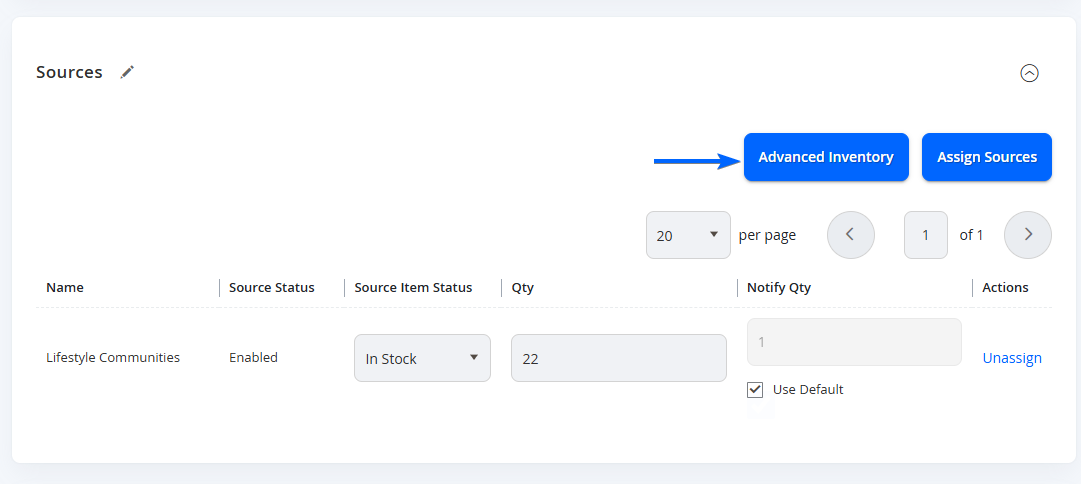
When you select this, a flyout will appear to show you the following options.
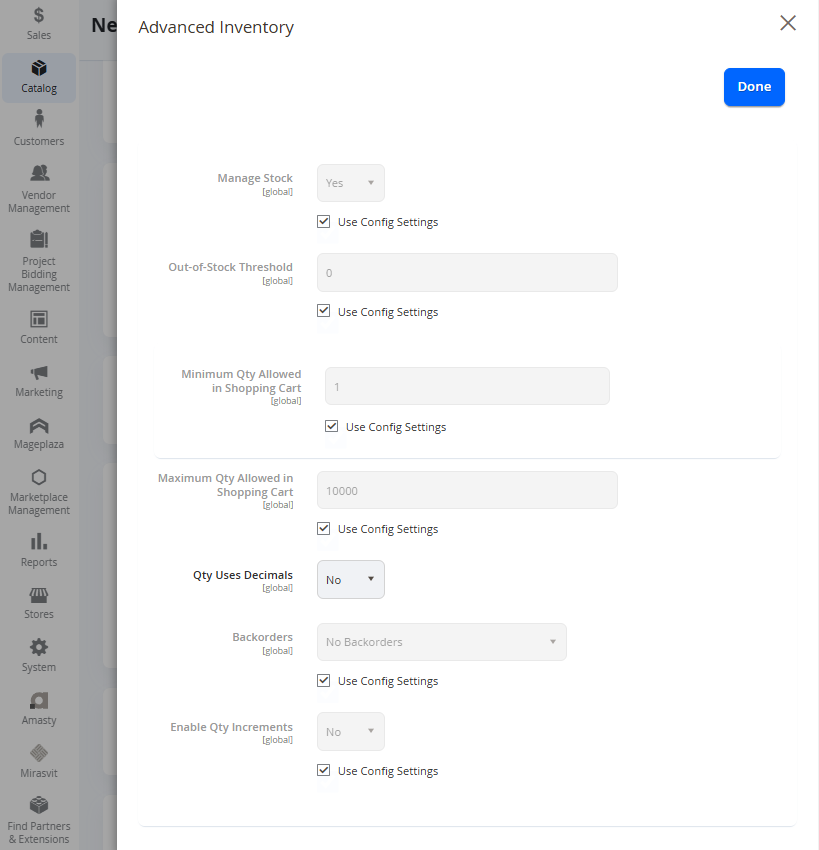
These options are usually set to use the default configuration settings and locked. To change the settings, you can simply unselect the Use Config Settings checkbox, and the value will be editable.
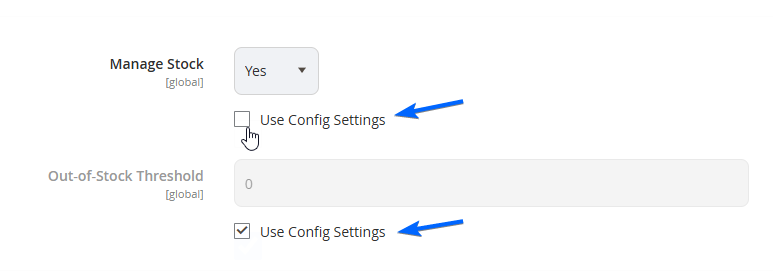
Please see the fields below.
| Field Name | Notes | Scope |
|---|---|---|
| Manage Stock | Set this to Yes if you would like to manage the inventory of this product on the platform (default). Select No if this product does not require stock management (unlimited quantity). | Global |
| Out-of-Stock Threshold | Input the quantity required for this product to be set with a stock status of Out of Stock. Only available if Manage Stock is set to Yes. | Global |
| Minimum Qty Allowed in Shopping Cart | Insert the minimum stock amount required to be able to add this product to the shopping cart. | Global |
| Maximum Qty Allowed in Shopping Cart | Insert the maximum stock amount limit to be able to add this product to the shopping cart. | Global |
| Qty Uses Decimals | Set to Yes if you need to include decimals in the Qty field for customers to input partial values. Default is No. Only available if Manage Stock is set to Yes. | Global |
| Allow Multiple Boxes for Shipping | Only available with Flat Rate Shipping, not used for Easyship Integration. Select Yes if you allow distributing the delivered products into various boxes | Global |
| Backorders | This sets if you would like customers to allow purchasing this product even if the stock is out of stock.
| Global |
| Enable Qty Increments | Set to Yes if you would like this product to only purchasable in increments of X (dictated on the next field if you select Yes for this). | Global |
| Qty Increments | Input the Qty increments for the product. Only available if Enable Qty Increments is set to Yes. | Global |
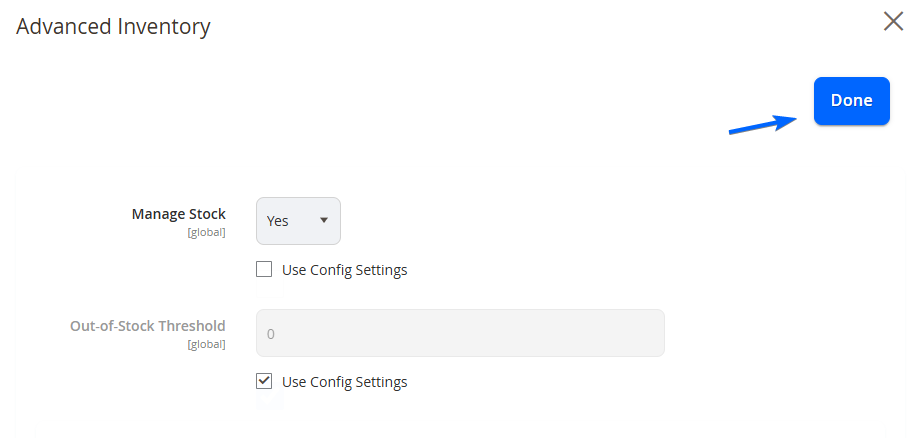
Select Done from the top right to save your changes and close the pop up.
Updated over 1 year ago