
How are Marketplace Payouts Calculated?
The Marketplace Platform has 2 types of vendor payment configurations that can be set for vendors to receive their order payments. They are Commissions and Wholesale.
Commission Vendor Payments
This is the standard implementation for payouts to vendors from the platform. In this model, the product is sold at $100, and the vendor will get the amount that the customer paid for, minus the Vendor and Category fees associated with it.
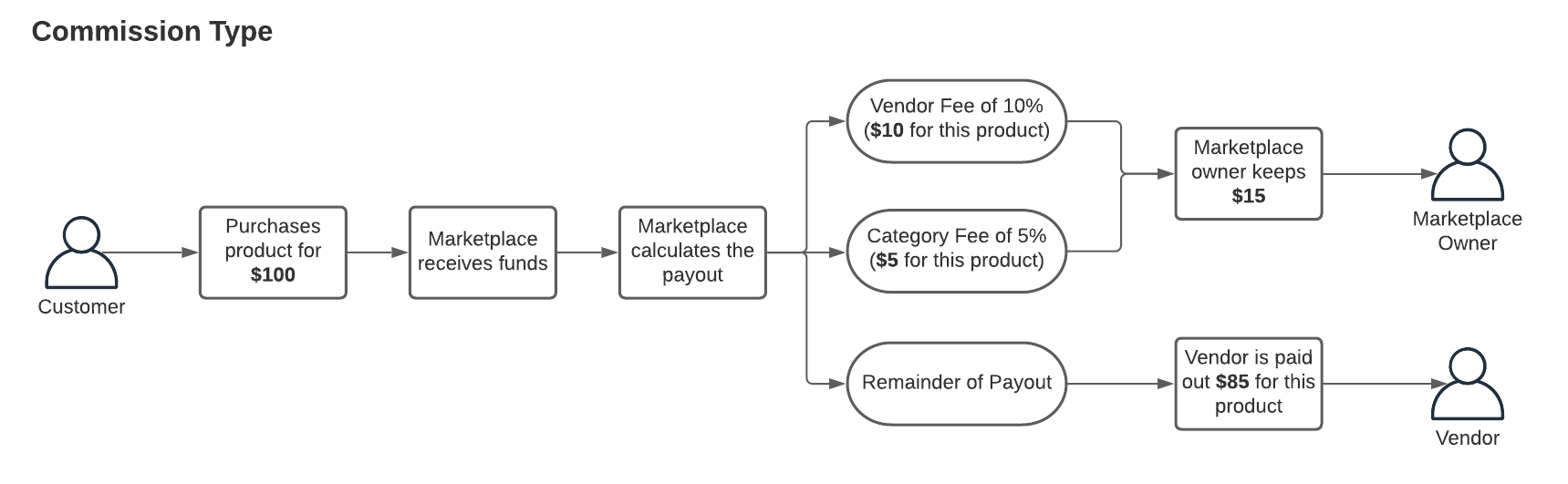
The default commission percentages per vendor are set up from the configuration (Stores > Settings > Configuration > Omnyfy > Marketplace Commercials Management > Default Vendor Fees), with custom fees able to be set up per vendor (Marketplace Management > Marketplace Fees and Charges Management).

Wholesale Vendor payments
In this implementation, the vendor will always get the product cost, regardless what the mark up is by the Marketplace Owner. The Marketplace can set an extra $10, $20 or even $50 mark up from the original product, and the Marketplace will keep the mark up cost for the product.
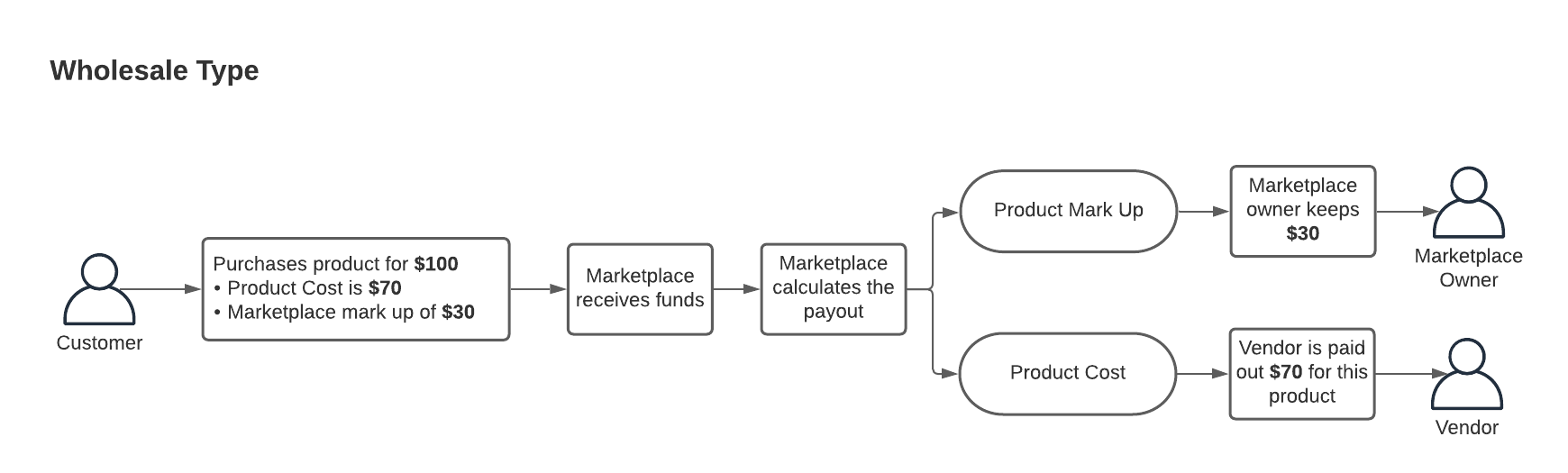
Each product will need to have it's own cost pricing (separate from the selling price). This can be found in the Product Details page in the Advanced Pricing.


Based on this, the payout process will automatically calculate the Vendor's Order Totals. This will be reflected in the payout invoice. The amount (including percentages and taxes) will also play a factor depending on how the Marketplace is configured.
Updated 2 months ago